When you assign a "Study Set," you can choose between two different study modes to tailor the learning experience for your students. Each mode generates different types of exercises to focus on specific skills.
Please note that these modes are only available for Study Sets and are not applicable to "Read Aloud" lessons. The default setting is Pronunciation Mode.
Pronunciation Mode
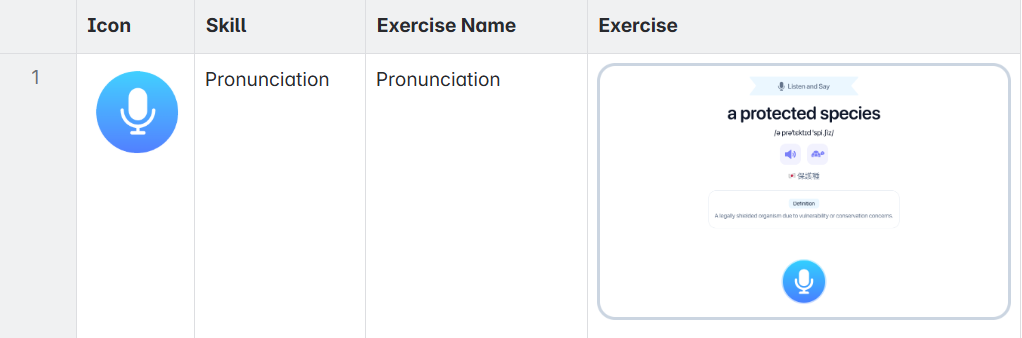
This mode is designed to focus exclusively on the student's speaking and pronunciation skills.
When you select Pronunciation Mode, all exercises in the Study Set will consist of pronunciation practice. Students will see a word or phrase and be prompted to say it aloud, receiving instant AI-powered feedback on their accuracy.
Skill Assessed: Pronunciation
Exercise Type: Students practice speaking the words or phrases in the lesson.
Vocabulary Mode
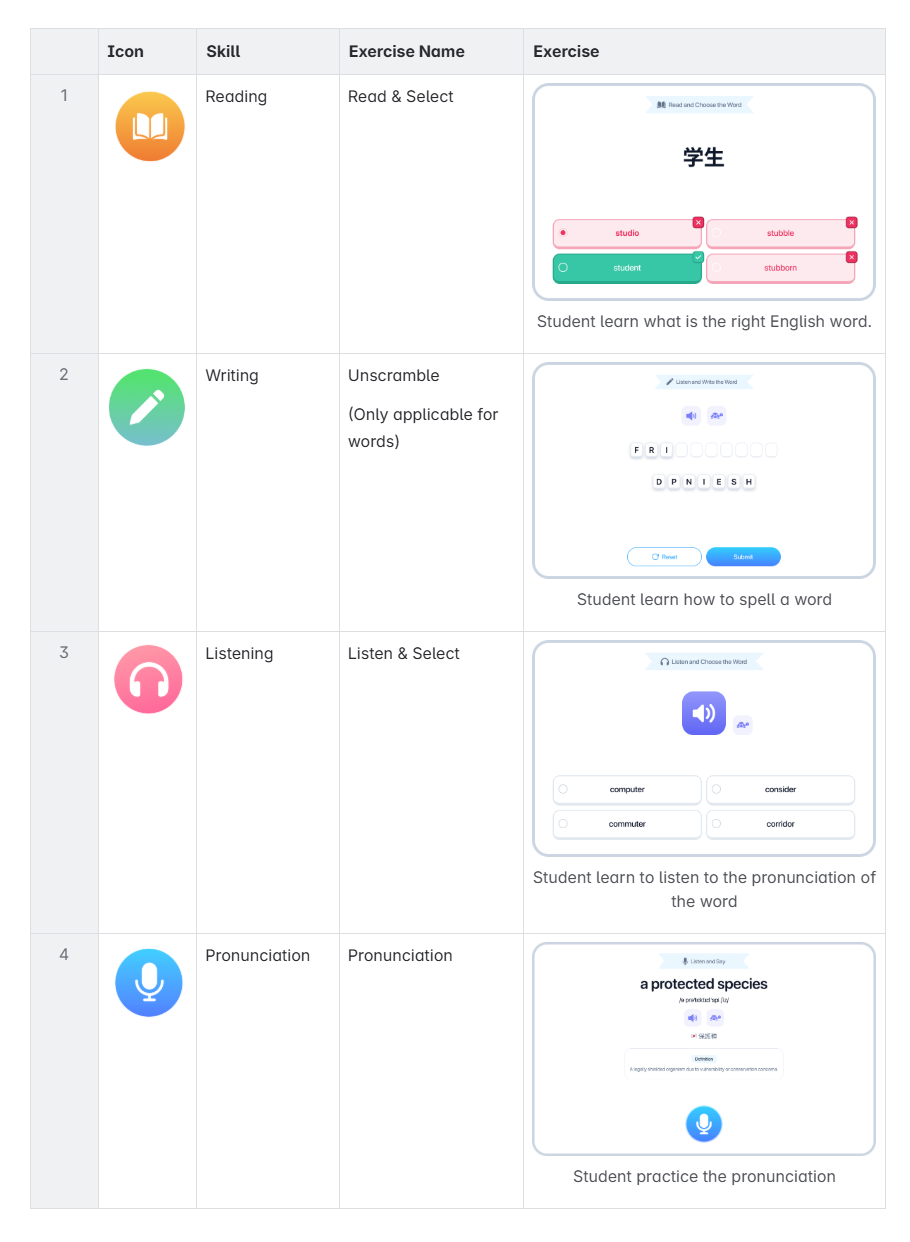
This mode offers a comprehensive approach, assessing four different language skills through a variety of exercises. When Vocabulary Mode is selected, students will encounter a mix of the following activities to build a complete understanding of the lesson content:
1. Reading (Read & Select)
Students are shown a word and must select the correct corresponding word from a set of options, testing their reading comprehension.
2. Writing (Unscramble)
To practice spelling, students will unscramble a set of letters to form the correct word.
(Note: This exercise type is only applicable for single words).
3. Listening (Listen & Select)
This exercise tests listening skills. Students will hear a word spoken and must select the correct text from a list of similar-sounding options.
4. Pronunciation
This classic ELSA exercise allows students to practice their pronunciation of the word or phrase and receive detailed feedback from the AI.
Was this article helpful?
That’s Great!
Thank you for your feedback
Sorry! We couldn't be helpful
Thank you for your feedback
Feedback sent
We appreciate your effort and will try to fix the article