To Add or Remove Students from a Class:
Navigate to the "Students" tab on the dashboard and locate the student you wish to manage.
Click on the ellipsis (⋮) located in the far-right column next to the student's name. Select “Edit Profile & Role”.
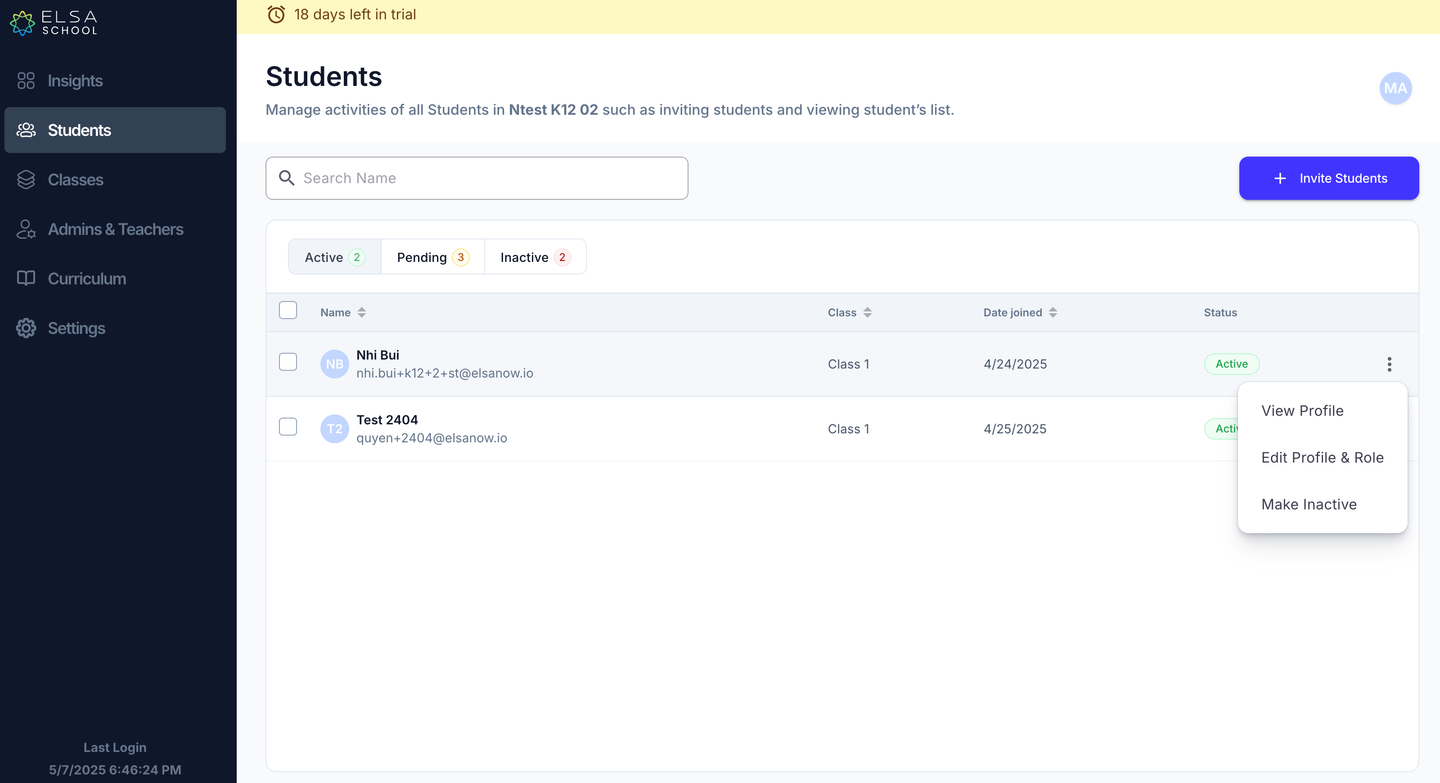
A side menu will open containing student's profile information. Ensure the "Student" box is checked.
To add the student to a class, check the box next to the desired class name.
To remove the student from a class, uncheck the box next to the class name they should no longer be assigned to.
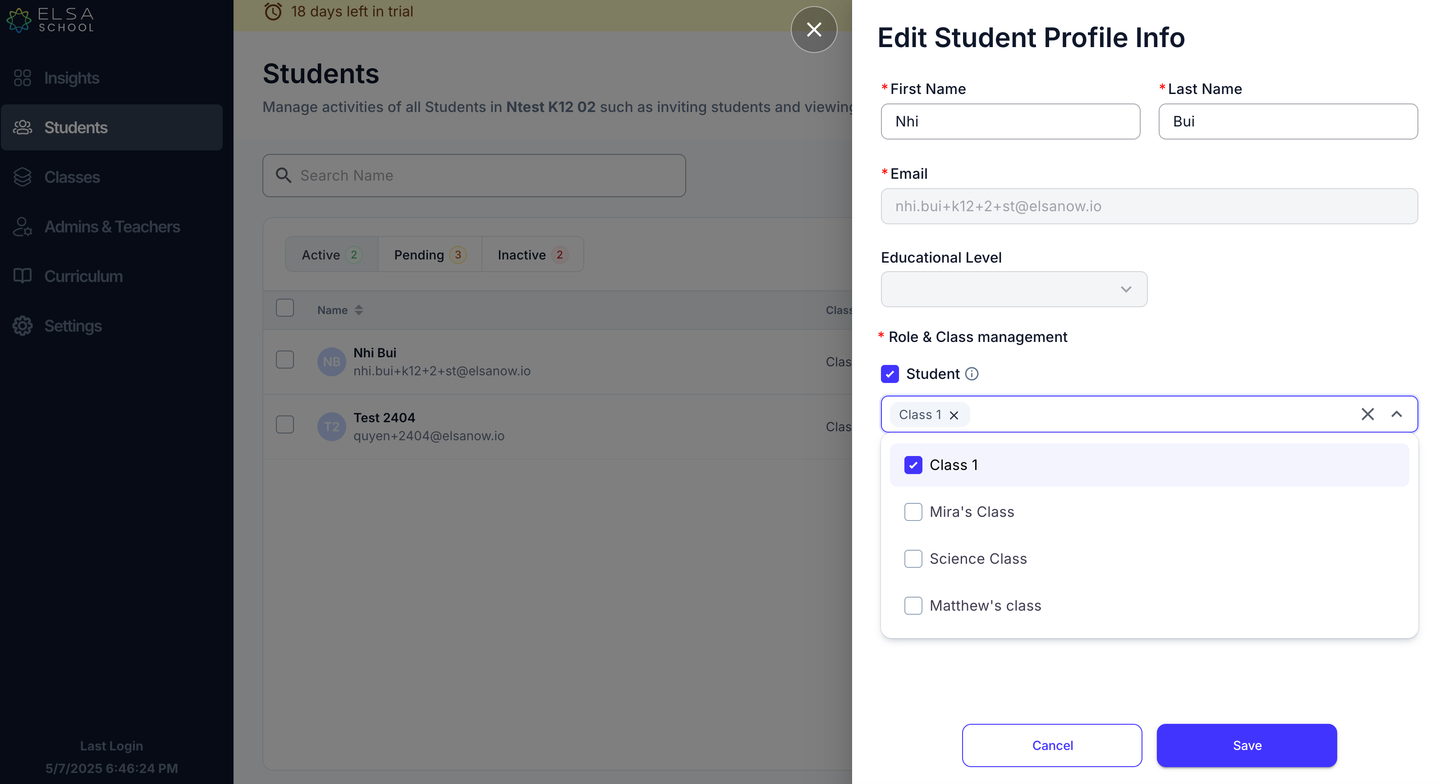
Click "Save" to apply your changes. The student's class assignments will be updated accordingly
Was this article helpful?
That’s Great!
Thank you for your feedback
Sorry! We couldn't be helpful
Thank you for your feedback
Feedback sent
We appreciate your effort and will try to fix the article