Please follow the simple steps below to invite new admins to your organization dashboard:
Click on the "Admin & Teachers" tab located in the left sidebar menu. Click on "+ Invite" to start inviting new admin.
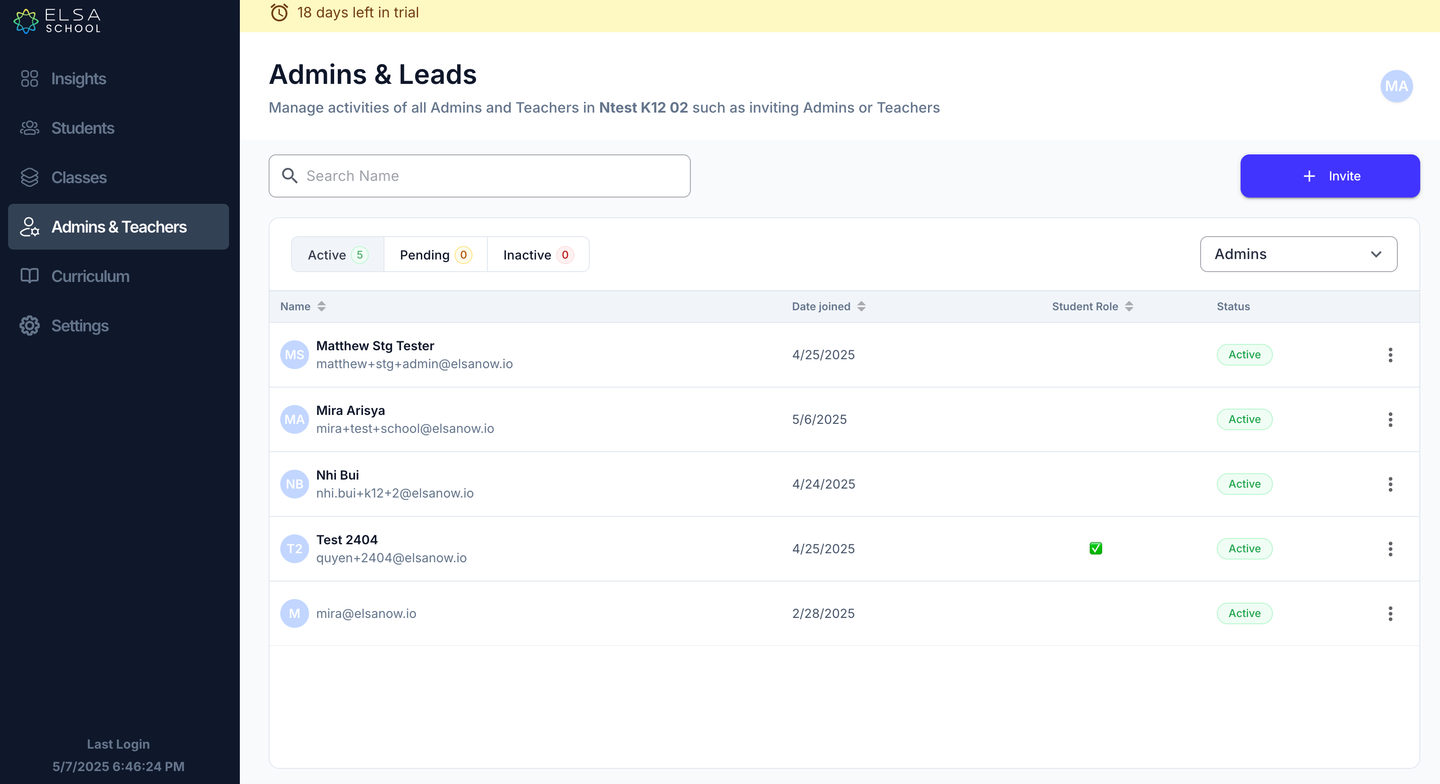
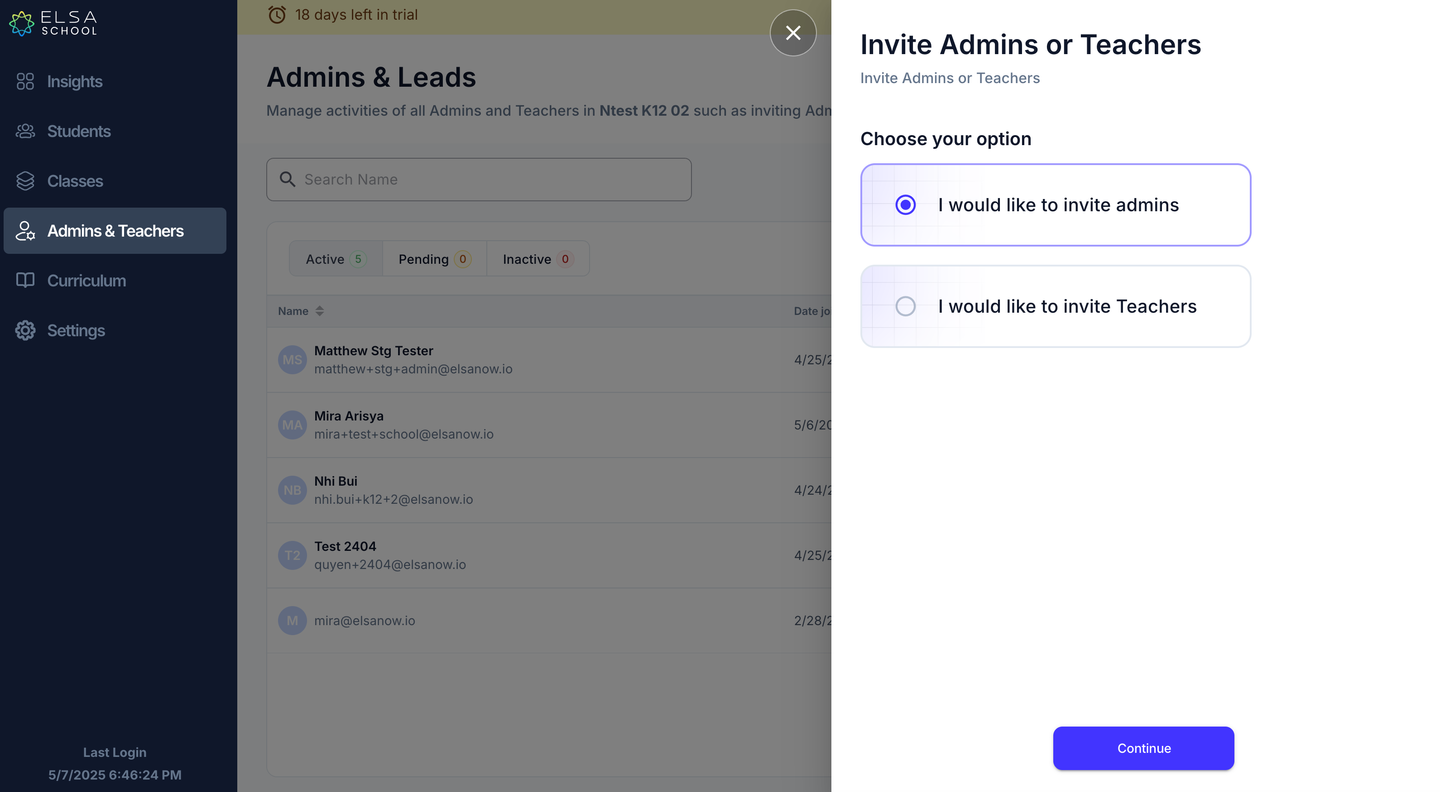
Select "I would like to invite admins".
Enter the email addresses of the admins you want to invite. You can also invite them as student, however, student license will be utilized if selected.
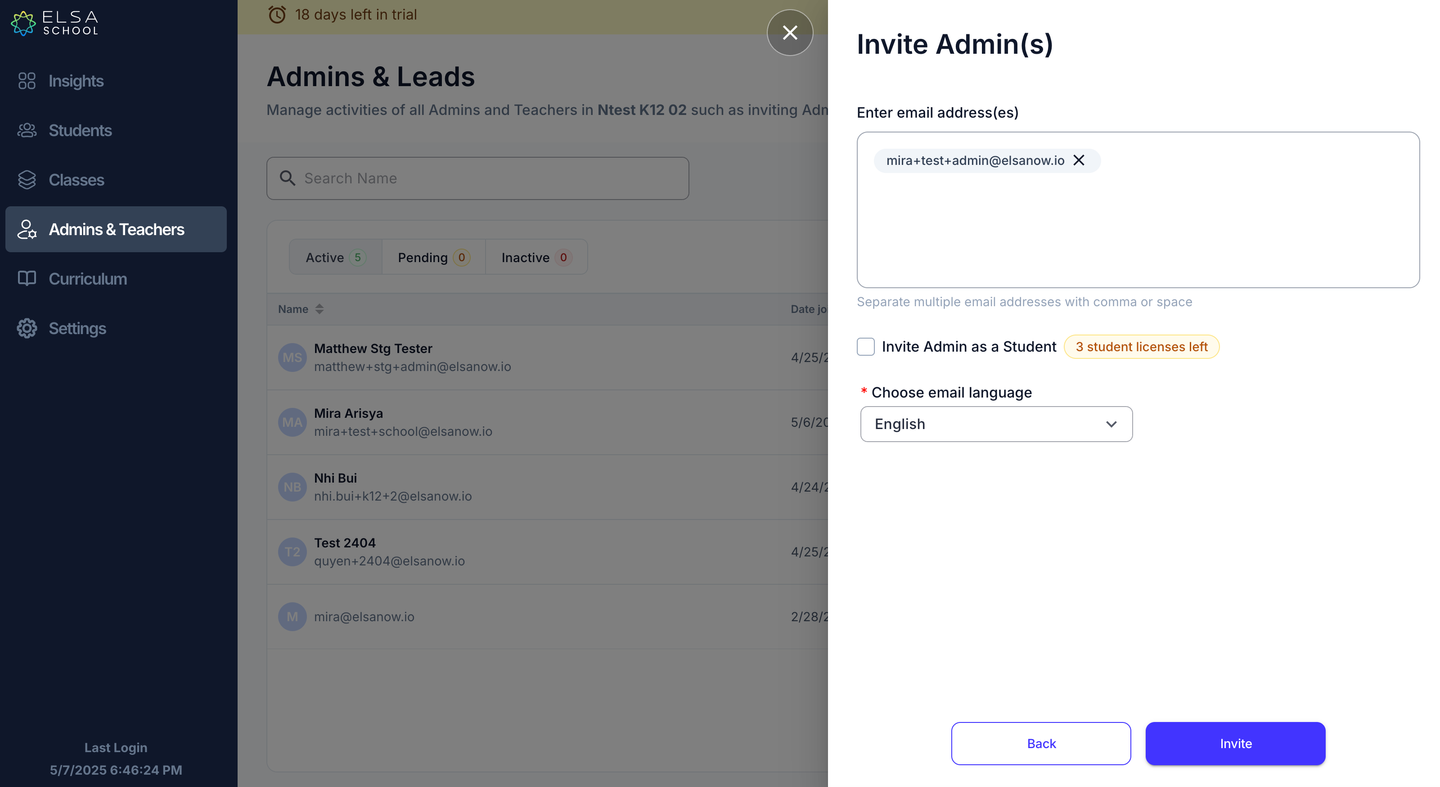
Choose the language for the email invite.
Click “Invite”. The invitation will be sent to their email addresses.
Was this article helpful?
That’s Great!
Thank you for your feedback
Sorry! We couldn't be helpful
Thank you for your feedback
Feedback sent
We appreciate your effort and will try to fix the article