To access student list as an admin, please follow the simple steps below:
Navigate to the main menu on the left side of the dashboard.
Click on the "Students" tab.
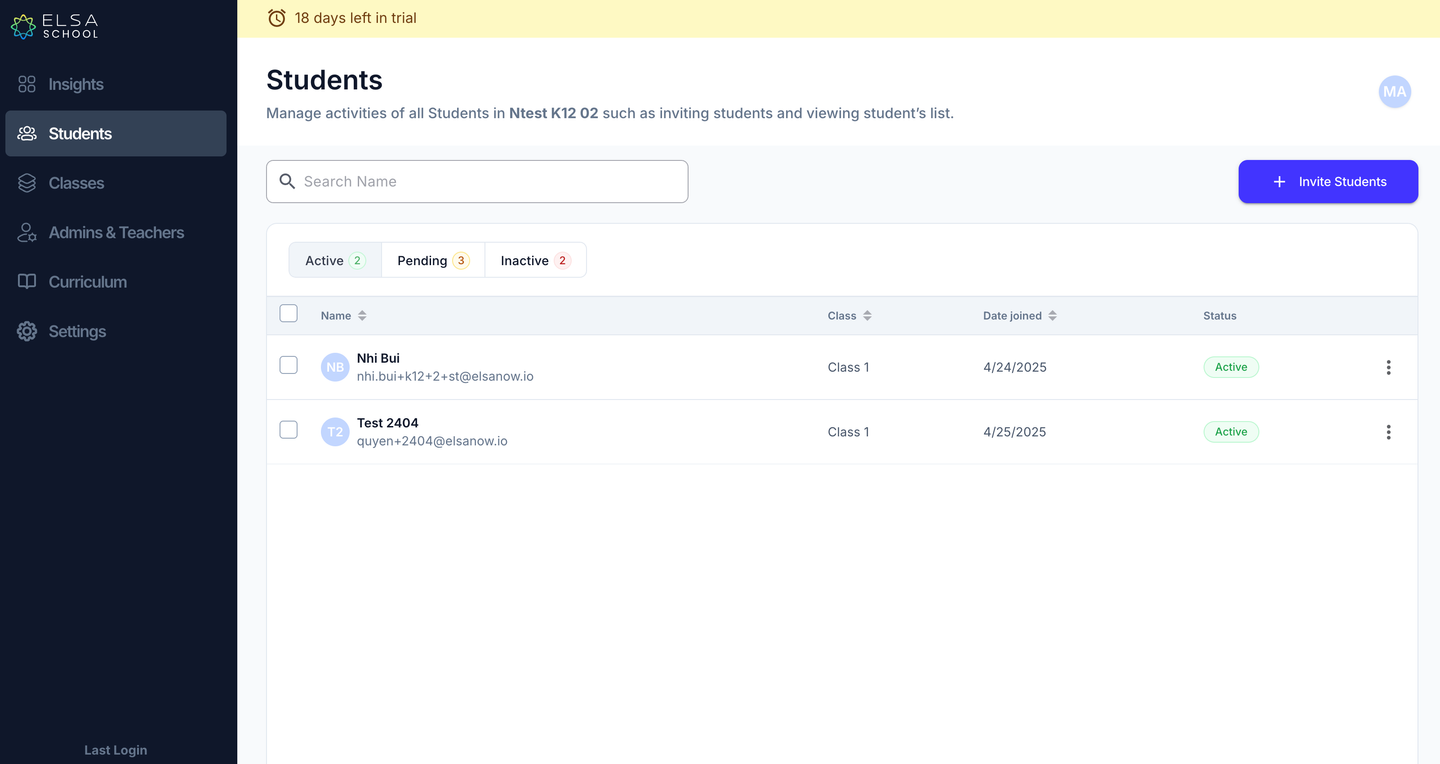
This action will take you directly to the page displaying the complete list of students registered in ELSA School. You will be able to view:
Student names
Their assigned classes
Join dates
Their current status:
Active: Students who have accepted the invite.
Pending: Students who have not yet accepted the invite.
Inactive: Students who are no longer part of your organization.
Was this article helpful?
That’s Great!
Thank you for your feedback
Sorry! We couldn't be helpful
Thank you for your feedback
Feedback sent
We appreciate your effort and will try to fix the article