Welcome to your ELSA School Insights dashboard! This is your command center for viewing a comprehensive summary of student performance and class engagement. Let's walk through the key features.
The data on this dashboard is refreshed daily. You can see when it was last updated at the top of the page.
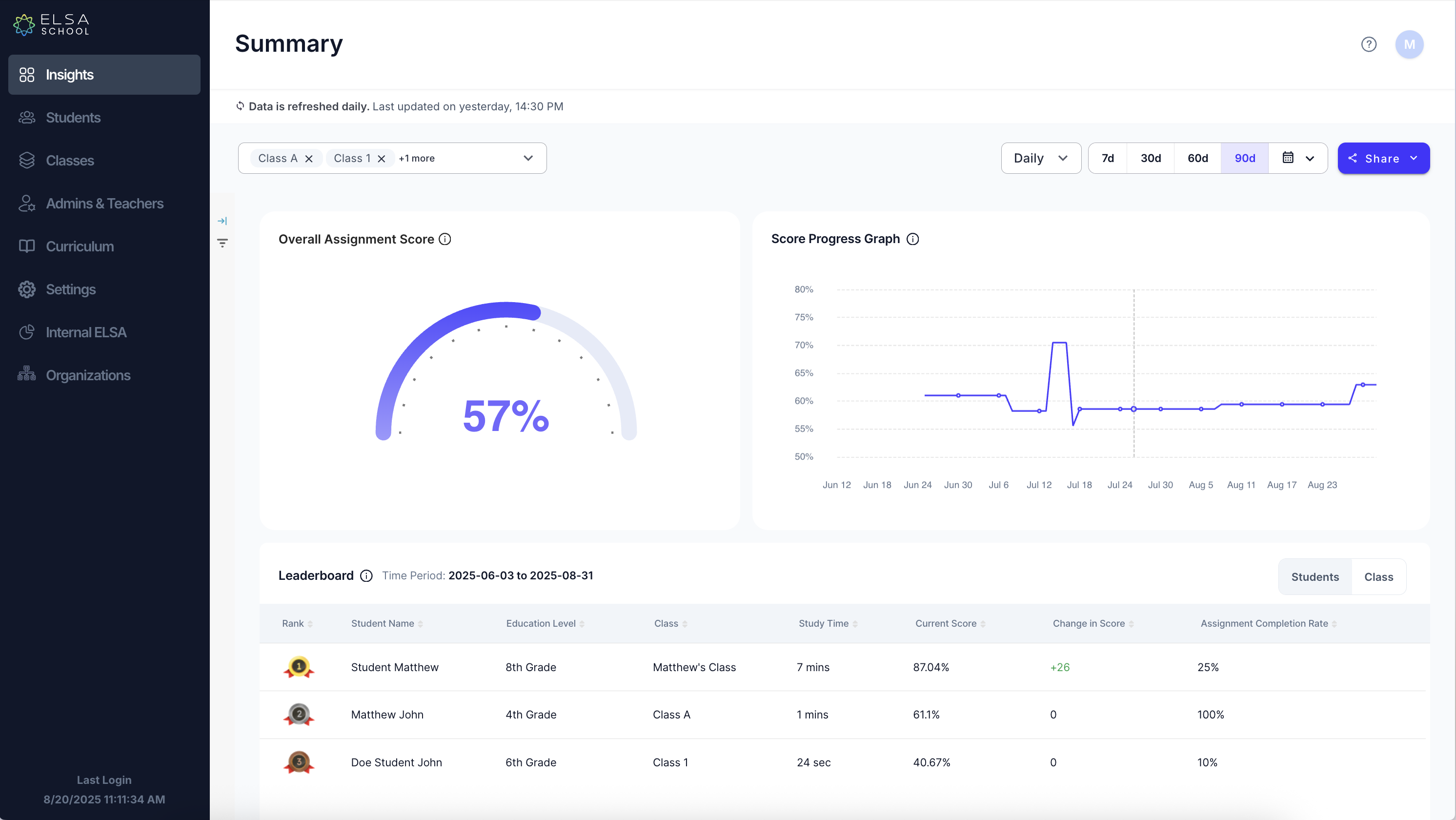
1. Main Performance Metrics
At the top of the page, you'll find two main visuals that give you a quick overview of your class's performance.
- Overall Assignment Score: This circular gauge displays the average score for all completed assignments within the selected class and time frame. It’s the fastest way to check your class's overall comprehension.
- Score Progress Graph: This line graph shows you how the class's average score has trended over time. Use this to track improvement and identify patterns in student learning.
2. Filtering Your Data
You can easily customize the data you see to focus on specific classes or time periods.
- Filter by Class: Use the dropdown menu (e.g., "Class A") at the top to switch between your different classes.
- Filter by Time Period: Select Daily, 7d, 30d, 60d, or 90d to adjust the date range for all the metrics on the dashboard.
- Share: Click the Share button to export or share the current view.
3. Leaderboard
The Leaderboard gives you a detailed, ranked breakdown of individual student performance. This helps you quickly identify top performers and students who may need additional support.
Key columns include:
- Study Time: The total amount of time a student has spent on their assignments.
- Current Score: The student's current average score.
- Change in Score: Shows how much a student's score has increased or decreased.
- Assignment Completion Rate: The percentage of assigned lessons that the student has completed.
Was this article helpful?
That’s Great!
Thank you for your feedback
Sorry! We couldn't be helpful
Thank you for your feedback
Feedback sent
We appreciate your effort and will try to fix the article