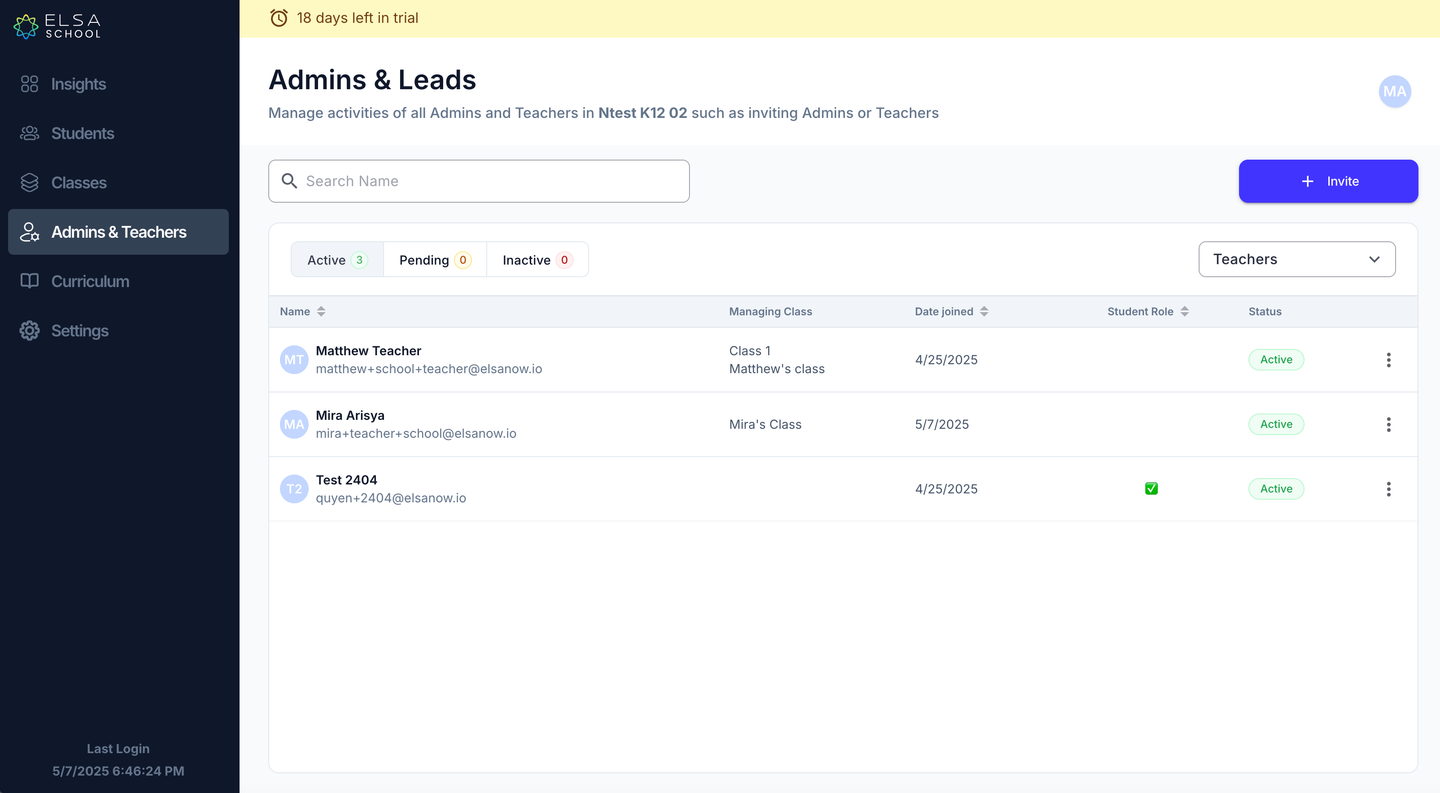
1. To view which teacher is assigned to which class, please follow these straightforward steps within the "Admins & Teachers" section:
Locate the table displaying your list of teachers by using the drop-down menu to select "Teachers".
Identify the "Name" column. This column clearly indicates the name of each teacher.
Next, find the "Managing Class" column. Directly adjacent to each teacher's name, this column shows the specific class they are currently assigned to manage.
Was this article helpful?
That’s Great!
Thank you for your feedback
Sorry! We couldn't be helpful
Thank you for your feedback
Feedback sent
We appreciate your effort and will try to fix the article