Modification of School Information:
Navigate to the "Settings" tab on the dashboard and ensure you are on the "Company Information" tab, which is typically selected by default when you enter the "Settings" page.
Locate the section displaying your current organization's information. You should see details like the organization's name and active until date.
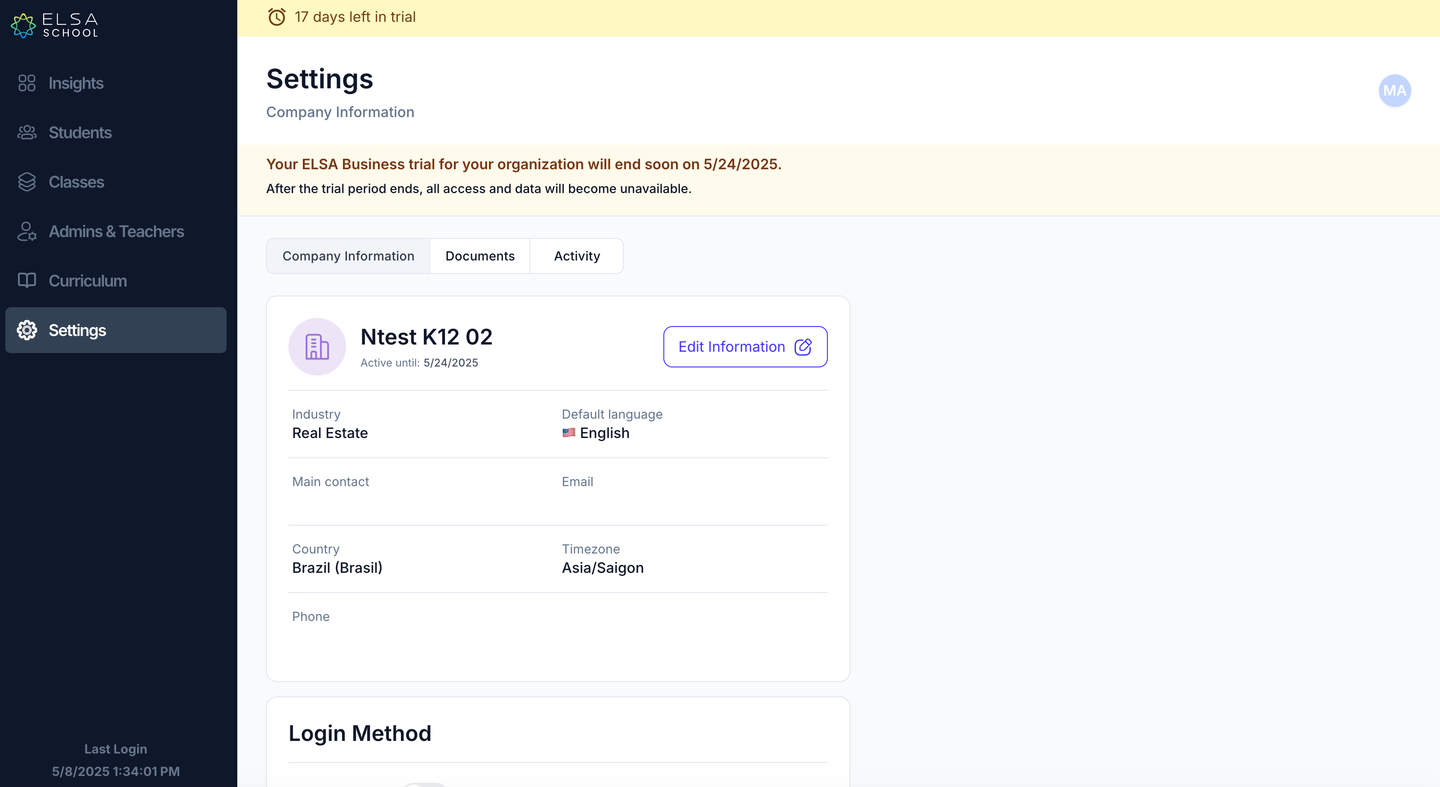
Click on the "Edit Information" button (it might have a pencil icon). This will open the "Edit General Info" window.
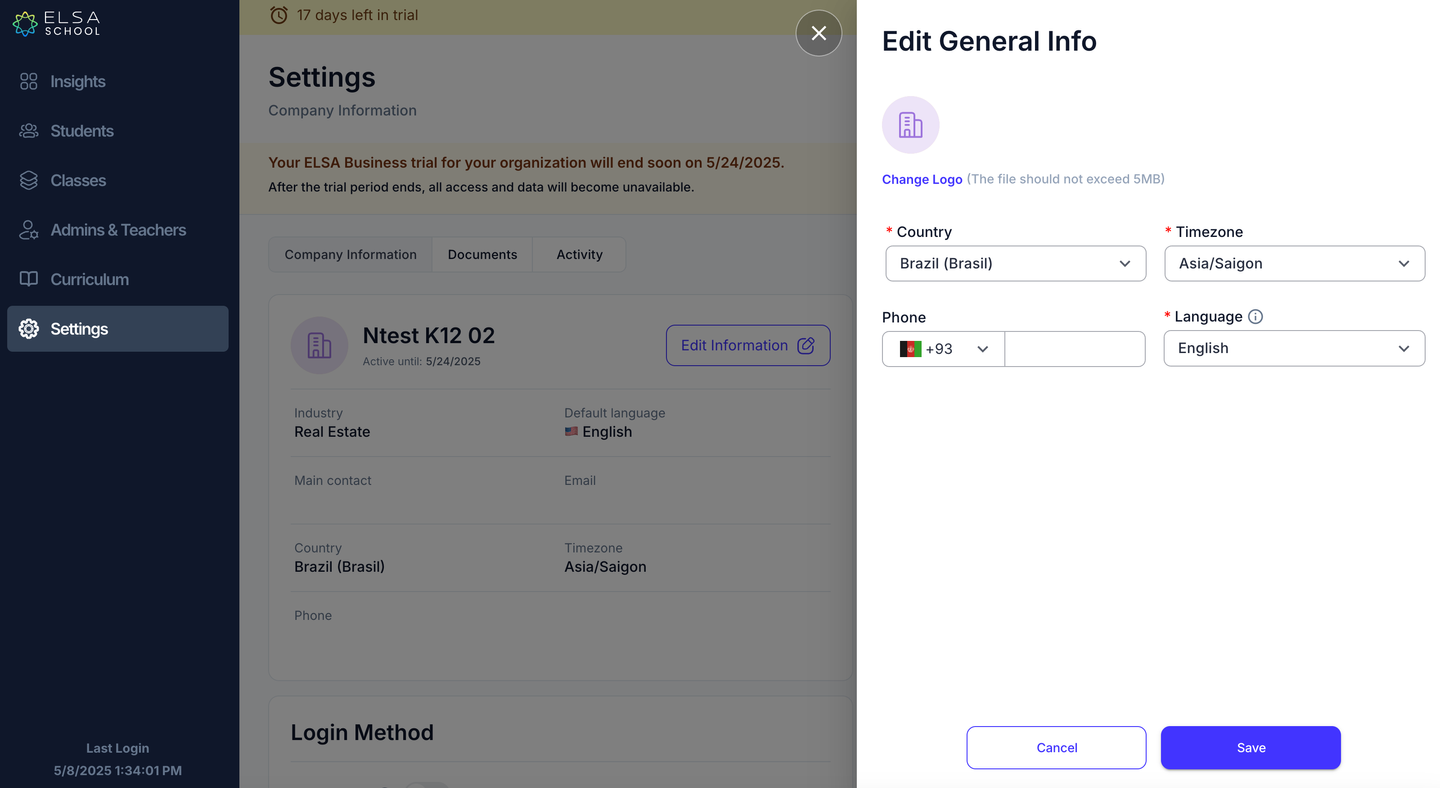
Within the "Edit General Info" window, you can modify various details such as:
Country: Use the dropdown menu to select the correct country.
Timezone: Choose the appropriate timezone from the dropdown menu.
Phone: Update the organization's phone number. Ensure you select the correct country code.
Language: Select the default language for the organization.
You might also have the option to change the organization's logo (following the specified file size limit).
Once you have made the necessary changes, click the "Save" button.
Was this article helpful?
That’s Great!
Thank you for your feedback
Sorry! We couldn't be helpful
Thank you for your feedback
Feedback sent
We appreciate your effort and will try to fix the article