This guide outlines how internal ELSA staff can customize the Login Alias when setting up a new organization. This feature ensures that students within a specific school or organization have a standardized, professional email format for their ELSA School accounts.
Internal Use Only: This feature is currently only accessible to ELSA internal administrators. External school admins do not have the permission to create new organizations or modify these settings.
1. Enable Login Alias
When onboarding a new school, you can define a unique prefix that will be used to auto-generate student login credentials.
Navigate to the Organizations tab on the left-hand menu and click + Create Organization.
Fill in the Essential Information, including the Organization Name, Industry, and Country.
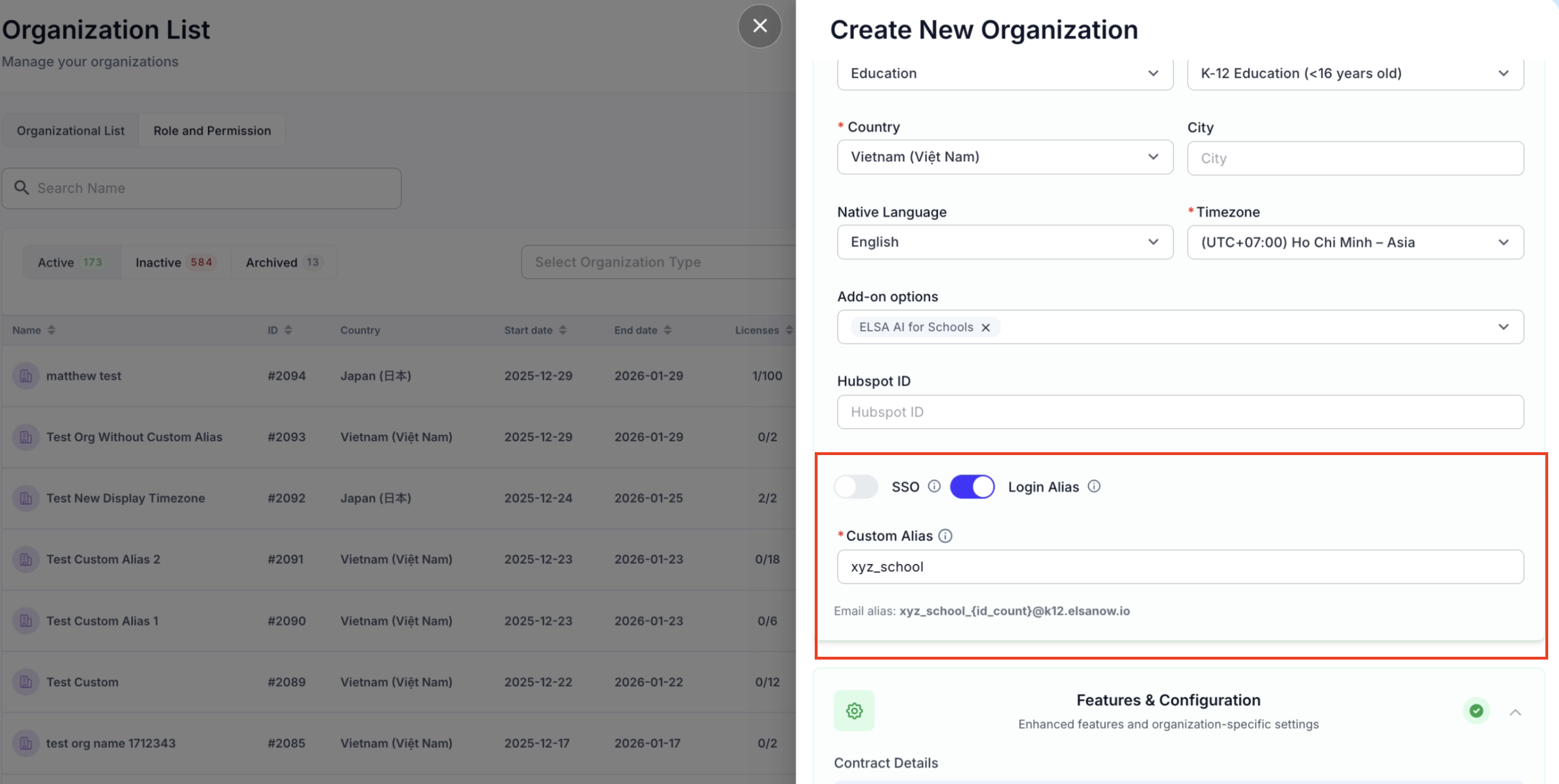
Scroll down to the Add-on options and ensure the "Login Alias" toggle is switched ON.
In the Custom Alias field, enter your desired prefix (e.g.,
xyz_school).You cannot use space or special characters.
Note that the id count is determined by the system.
The custom alias must be unique.
2. Review the Email Format
Once the alias is entered, the system will provide a preview of the email structure that will be assigned to students.
The format follows this logic:
[Custom Alias]_{id_count}@k12.elsanow.io.For example, if the alias is
xyz_school, the first student's email might look like:xyz_school_742@k12.elsanow.io.Complete the rest of the organization details and click Save.
3. Verifying Student Credentials
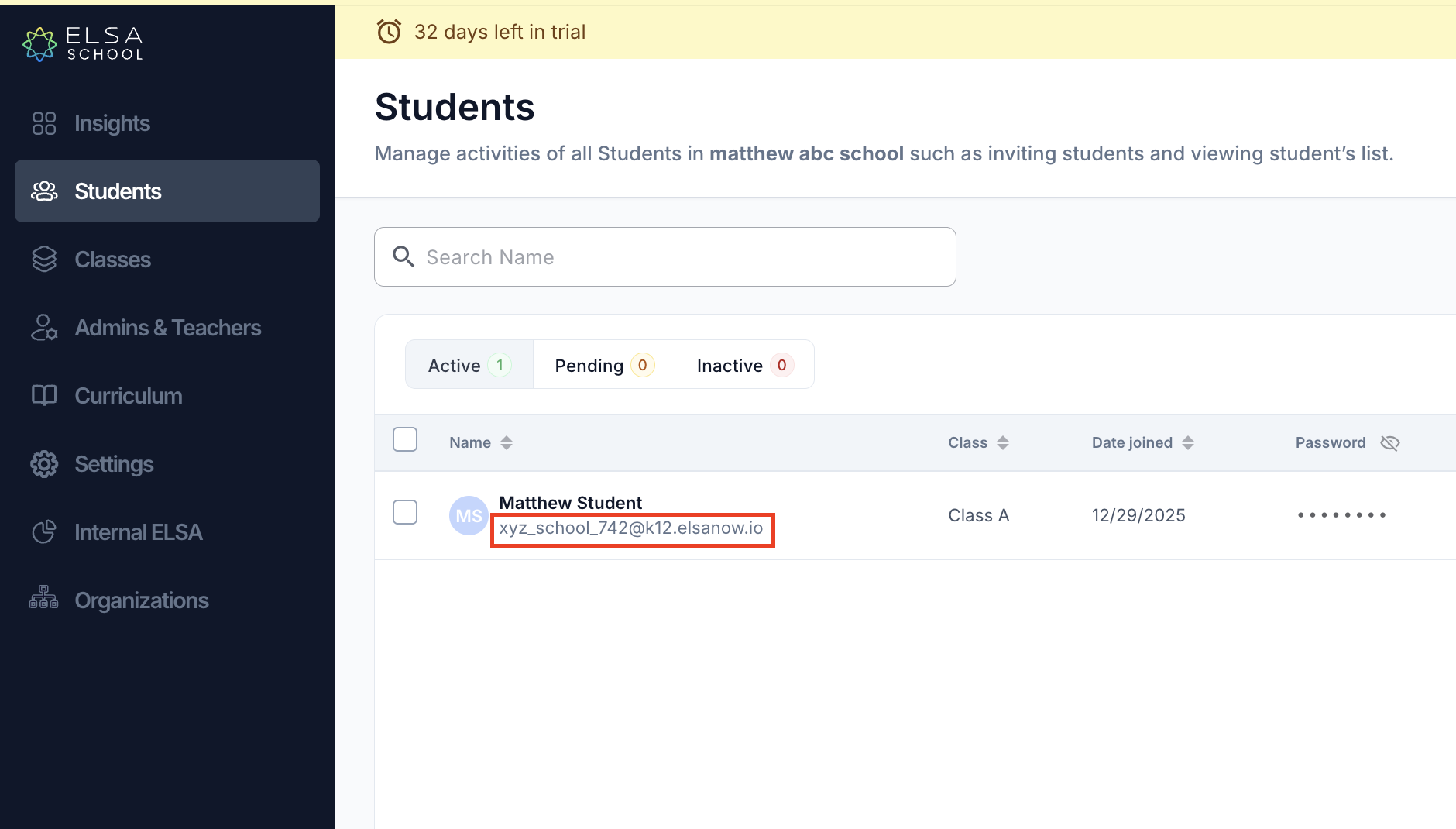
After the organization is created and students are added to their respective classes, you can verify that the custom alias is active.
Go to the Students tab within the specific organization.
Under the student's name, you will see their auto-generated email address using the custom prefix you defined.
Students will use this email along with their assigned password to log into the ELSA Student App.
Was this article helpful?
That’s Great!
Thank you for your feedback
Sorry! We couldn't be helpful
Thank you for your feedback
Feedback sent
We appreciate your effort and will try to fix the article